Hacking the Scale: Reverse Engineering My Bluetooth Body Composition Scale
2025-09-15
Another exciting weekend project!
My goal was simple: I wanted the data from a Bluetooth-enabled smart weighing scale in a CSV file on my computer. If the manufacturer (unnamed, for obvious reasons) wanted, it was trivial to implement. But, as they want to greedily restrict us to their walled gardens, they don't allow even a simple export feature.
Read the post: A Day in the API-First, Open-Source Future
So, here we go!
I had already been experimenting with nRF app on my phone and sniffing nearby Bluetooth devices. I was able to ready the battery levels of my students' smart watches. Neat, right?
I used the same app to sniff the Bluetooth packets(?) from the scale and identify different attributes/characteristics being transmitted.
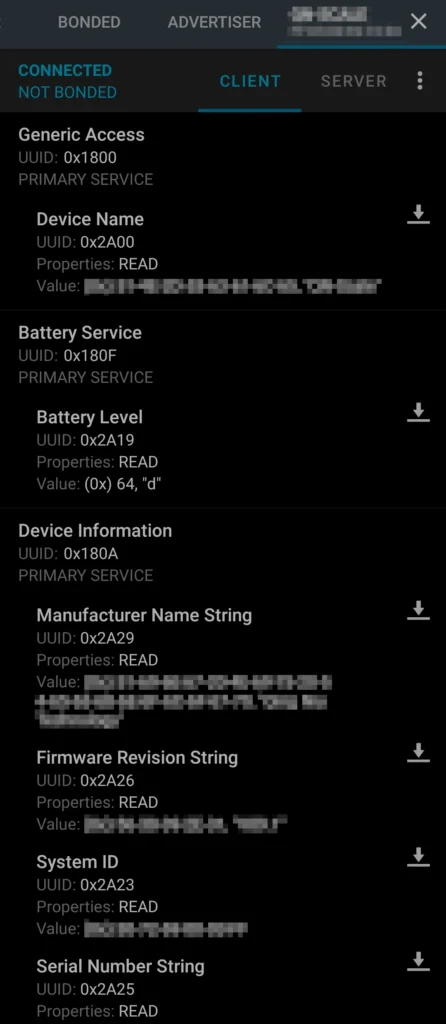
I used Grok and ChatGPT to decode and map the raw data to the actual metrics like weight, fat %, etc. Grok did much better.
After some experimenting, I was able to read and log the weight on my computer using the Python script below, but not fully accurately.
import asyncio
import csv
from datetime import datetime
from bleak import BleakClient, BleakScanner

DEVICE_MAC = "00:00:00:00:00:00"
CHAR_UUIDS = [
    "0000fff1-0000-1000-8000-00805f9b34fb",
    "0000ae02-0000-1000-8000-00805f9b34fb"
]

async def notification_handler(sender, data):
    debug_timestamp = datetime.now().isoformat()
    print(f"DEBUG: {debug_timestamp} - Notification from {sender}, data: {data.hex()}")
    timestamp = datetime.now().isoformat()
    if len(data) >= 7 and data[6] == 0:  # Check for potential weight format
        weight_raw = (data[7] << 8) | data[5]
        weight_kg = weight_raw / 10.0
        print(f"DEBUG: {debug_timestamp} - Potential weight: {weight_kg} kg (raw: {weight_raw})")
    with open('scale_data.csv', 'a', newline='') as f:
        writer = csv.writer(f)
        writer.writerow([timestamp, sender, data.hex(), len(data)])

async def main():
    debug_timestamp = datetime.now().isoformat()
    print(f"DEBUG: {debug_timestamp} - Scanning for {DEVICE_MAC}")
    device = await BleakScanner.find_device_by_address(DEVICE_MAC, timeout=20.0)
    if not device:
        print(f"DEBUG: {debug_timestamp} - Device not found")
        return

    async with BleakClient(device) as client:
        print(f"DEBUG: {debug_timestamp} - Connected")
        for uuid in CHAR_UUIDS:
            print(f"DEBUG: {debug_timestamp} - Starting notify on {uuid}")
            await client.start_notify(uuid, notification_handler)
        print(f"DEBUG: {debug_timestamp} - Running for 600 seconds")
        await asyncio.sleep(600)  # 10 minutes

if __name__ == "__main__":
    asyncio.run(main())
Even till the end, I was unable to get the exact weight. It was off by a couple of kgs or so. For some weird reason, I was getting the same wrong reading, irrespective of the scripts I used.
I even tried collecting HCI snoop data from my phone. But that too didn't help solve the issue.
In the meanwhile, I was considering the OpenScale app which aims to liberate our scales, but my scale was not supported.
Later, it turned out that my scale is kinda supported, as the actual hardware inside is the same as the one in another supported scale. This was a big relief! At least the data was detected.
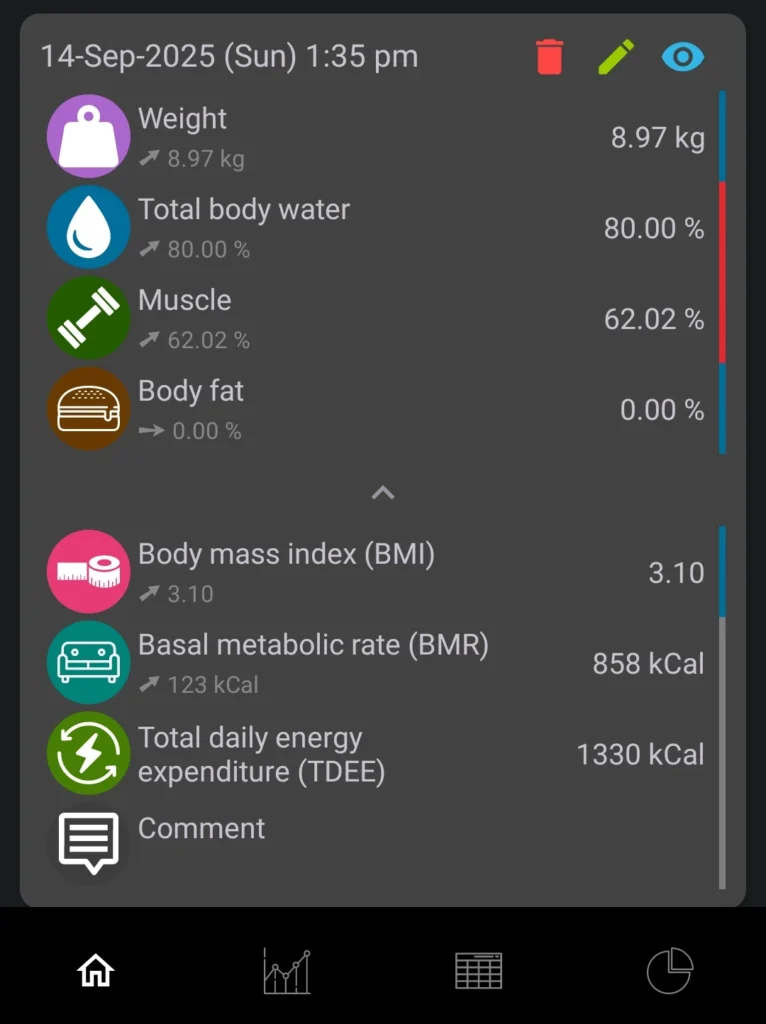
But, there were a few hiccups: the weight shown was exactly 10 times smaller than the actual weight. This can be easily corrected.
Muscle mass % was kinda close to the one reported by the official app by the manufacturer of the scale.
But most of the values were very wrong.
But, getting at least the weight value reliably was a big win.
Vision
The big vision is to automate everything, especially biohacking (tracking and execution).
But, one step at a time. Sayonara!